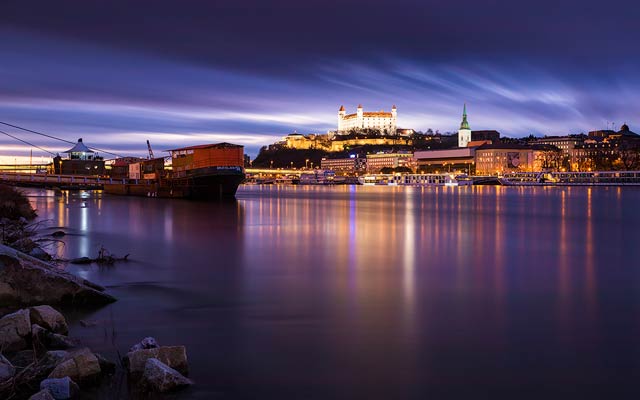
I’ve been adding mostly 21:9 wallpapers recently, and so today, I’m adding few new with a more traditional aspect ratios. That is 16:10 and 4:3. As always, they are 1920×1200 and 1600×1200 and you can download them from the wallpapers page.



Free HDR video tutorial
MASTER EXPOSURE BLENDING
Find the best ones
TOP PHOTOGRAPHY SPOTS
Free wallpapers
HIGH-RESOLUTION WALLPAPERS
I’ve been adding mostly 21:9 wallpapers recently, and so today, I’m adding few new with a more traditional aspect ratios. That is 16:10 and 4:3. As always, they are 1920×1200 and 1600×1200 and you can download them from the wallpapers page.
I mentioned this yesterday, but will once more. If you are using Photoshop, you probably already noticed that there is a 2015 version. There is even an update for that already. Don’t update to it. It’s horrible. Compared to the last years version, it very slow, buggy, the images don’t redraw properly, it’s just a huge pain to use. If I could, I would have already downgraded. I love working in Photoshop. I’ve been using it for over 15 years now, and this one, must be my worst experience I ever had with it.
Btw. one more not. Strangely (or maybe stupidly?) each Photoshop update turns off the automatic recovery saving of files you are working on. Why they do that I don’t understand, as I think this should be on by default, as it is very important, but they do. So don’t forget to turn it back on if you update.
I did very little editing on this photo. The reason is of course the horrible Photoshop. But I hope you will still enjoy it.
This are four exposures combined in Oloneo Photoengine, blended with the original exposures in Photoshop.

Let’s look at how one of my recent photos was edited. Today I will show you this night shot with star trails, I took few weeks ago in Vienna. So let’s start.
 Finished photo
 Original photo
For this photo I took over 200 exposures. First I took two hours worth of 30s shots for the stars. As the Sony a7R does not have an intervalometer in it, what I did was, I set the camera to continuous shooting and locked in the shutter button on the remote. It worked without any issues. For each of these photos, I corrected the lens distortion, chromatic aberations and white ballance in Lightroom.
 Exposures for Star trails
 Corrected in Lightroom
I also took 3 additional exposures, each with shorter times, for all the lights in the scene. I did the same corrections in Lightroom on them as for all the other photos.
 Exposures for HDR
 Corrected in Lightroom
I exported all as tiff files, and started with creating the star trails. As loading them all at once would probably kill my computer, I loaded them in 20 image stacks, where I only changed all to lighten blend mode and flattened them into one layer. While doing that, I also masked out few parts from the right, as there was the setting moon and it created a little glow.
From there I blended in the darker exposures to correct the few lights and removed the few people that were in the shot. To get the final look, I corrected out the fisheye distortion, added Color efex detail extractor and Pro contrast to make the stars more visible. I finished the edit with more saturation in the blue, and overall contrast.
 Blended star trails
 Finished photo
And that’s all I did with this image. To find out more on how I edit, check out the guides and before after categories on this blog, or check out my video tutorial series here:

And to finish this week, another panorama, from another bad weather evening :) This time it’s again the Charles bridge, but from the other side.
This is a 2 tile panorama, each tile from 5 exposures.