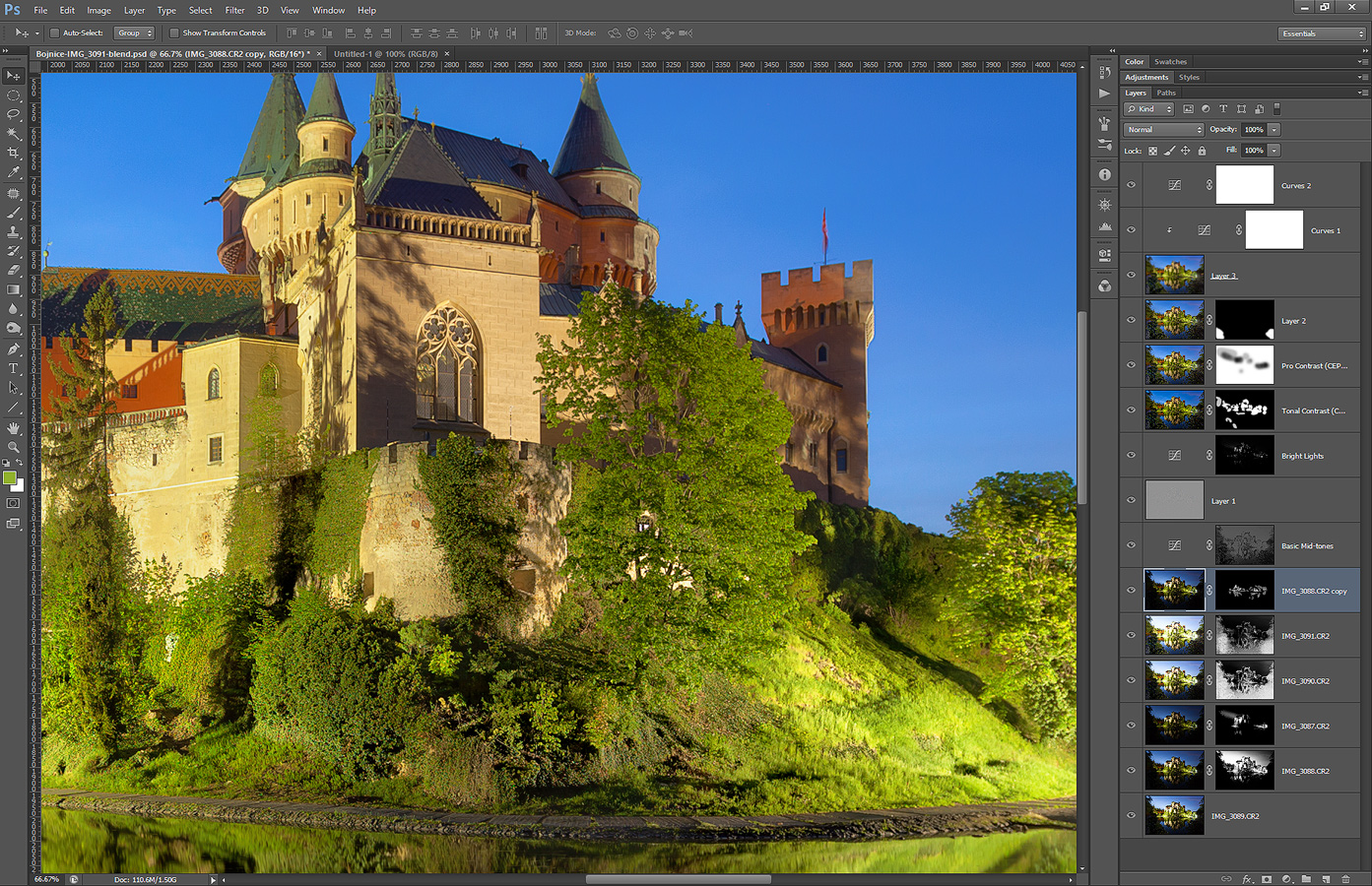
Today I have for you another photo process post. This photo of the Bojnice castle is one of the most popular photos I ever posted, so I think the way I edited it would be interesting to you. So to get to this final image:
Bojnice Castle
I used luminance mask to combine the shots. To be exact I did the following steps (layers numbered from bottom up)
1. original 0EV exposure
2-3. -1EV and -2EV exposure to darken the sky and other bright spots
4-5. +1EV and +2EV exposure to brighten the foreground
6. -1EV exposure once more to recovel some lost contrast from the blending
7. added contrast to basic midtones
8. added detail using high pass layer
9. darkened and added contrast to the brighterst parts of the image
10. added more local contrast using the Color efex Tonal contrst preset
11. added more contrst using the Color Efex Pro contrast preset
12. removed noise in the foreground elements
13-14. added glow using a blured layer
15. additional brightening for dark areas
Bojnice-IMG_3091-process
To see the original 0EV exposure, please continue to the full post

I haven’t taken many new photos recently. The very hot weather just makes me tired and lazy. I think that’s probably same for most people. But for the next two days I’m taking photos in Austria, so hopefully I get nice weather and some good locations. If all goes right, there will be some new photos from there later this week. But for now, one from last year, from the Kuchajda lake in Bratislava

This is a manual blend from 5 shots.
Blue clouds

I was thinking of what I haven’t yet taken photos in Bratislava and what is close to my flat (I really was not in the mood for a longer bus ride with the 30+ degree weather here). So I chose for my destination the Polus City center. You have seen few photos of it from the backside, as there is the Kuchajda lake, but this time, it’s the main entrance.

This is a manual blend from 5 shots.
Dusk fountain

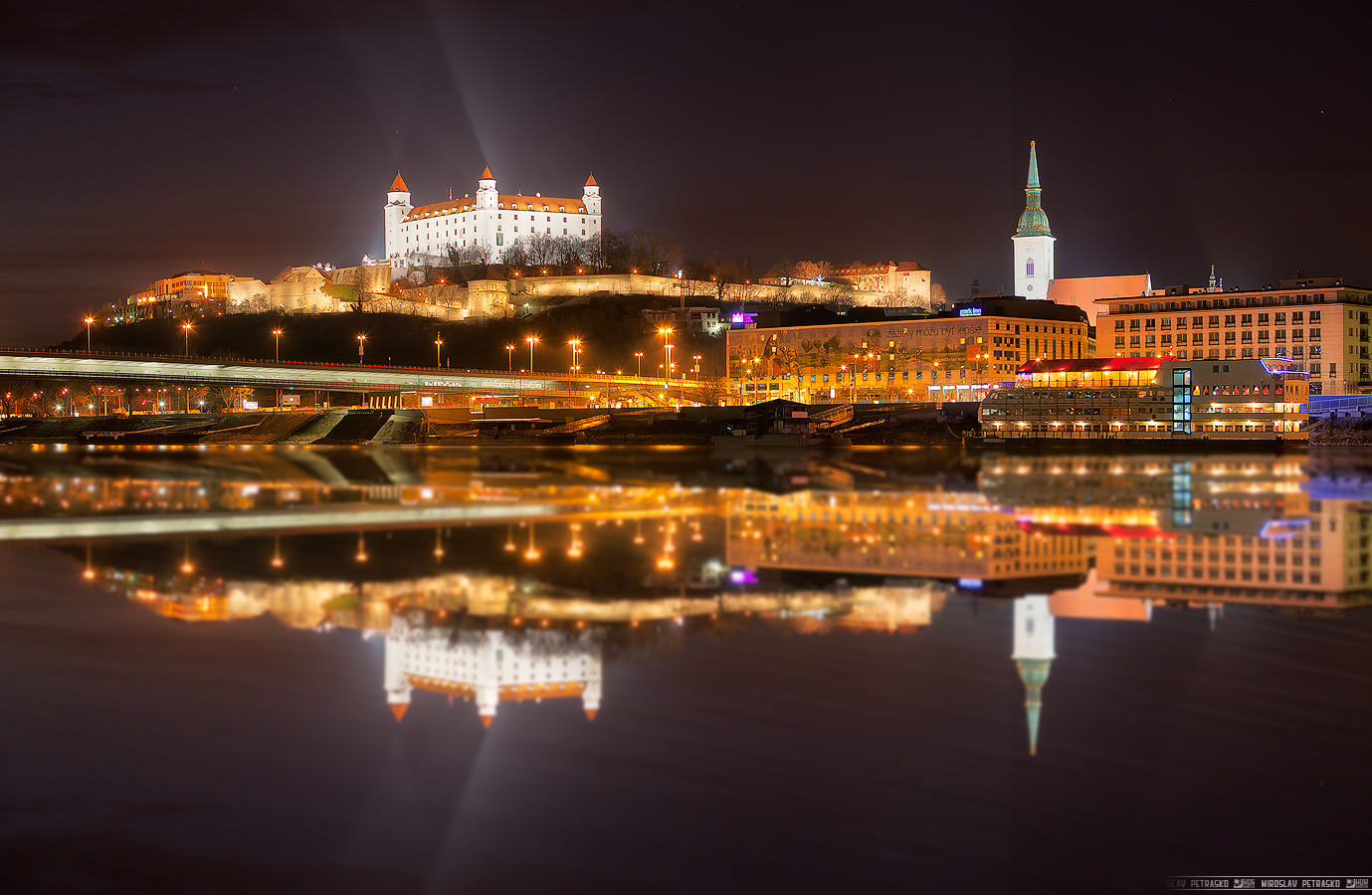
Today I have for you two photos. Better said, a photo and it’s variant. While I was editing this cityscape shot from Bratislava, it reminded me of this reflection tutorial by Jimmy McIntire http://www.throughstrangelenses.com/2013/06/23/cityscape-photoshop-tutorial/ so I just tried out how it looked like. And here is the photo and also the fake reflection variant. It does not even look that bad :)

This is a manual blend from 7 photos.
Light reflection

This is an edit of the above photo in Photoshop.
Reflection

A little more colorful photo today. I went with more saturation and glow for this one, to get the feel I wanted. But it depends a lot on the screen you are viewing the photo on. It looks completely different on my screen, my tablet or my phone (I have to say, the amoled on my phone looks just incredible :)). And it also looks different based on the light conditions and on what you were looking before on (if you look on something saturated before and then look at it, it will look really washed out :)). So having the exact color I want is really not that simple, or even possible.

This is a manual blend form 3 shots, taken next to the Bojnice castle in Bojnice.
Colorful spring morning

FREE EBOOK!!!
Subscribe to my newsletter and get a free Capturing fireworks ebook. 
Subscribe