Free HDR video tutorial

Free HDR video tutorial

MASTER EXPOSURE BLENDING

Find the best ones

Find the best ones

TOP PHOTOGRAPHY SPOTS

Free wallpapers

Free wallpapers

HIGH-RESOLUTION WALLPAPERS

hoya-1

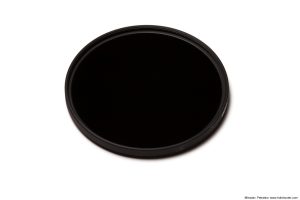
Hoya ND400 filter – review

For those interested in a neutral density filter, I have put together a short review of the one I use, the Hoya ND400 9-stop ND filter. You can find the review here, or you can find all my reviews on the Reviews page.

Winter’s day in Bojnice

Where is the snow? That I was in Bojnice in December, was just a coincidence, as we stopped there on the way back to Bratislava. But if there was snow, this could look so as from a fairy tale. Like in Frozen :)

Still this photo is a little less colorful than my other photos, but every time I added more saturation, it felt fake. I try to give a photo a look of what I have seen, and it just didn’t feel right. This is a manual blend in Photoshop from 5 exposures, using luminance and painted masks.
Winter's day in Bojnice

New blog address

Maybe some of you already notices, but from yesterday the address of this blog is no longer blog.hdrshooter.net, but a new one, www.hdrshooter.com. I planed this change for a long time, and I hope it makes the address easier to type and also easier to remember :)

Of course the old address will continue to work, it will just forward you to the new one.
.com

In the metro

I’m still feeling sick, so another quick edit today. This time it’s a photo from Prague metro. I used a stronger noise reduction as usual on this one, as I wanted to get rid of the smaller details, to give it a more cleaner look.

This is a HDR created from 2 exposures in Oloneo Photoengine and then blended with one of the exposures in Photoshop.
In the metro

For this weeks process post, I have for you something a little different. In this one I will show you how to create this blurred effect in Photoshop. It quite simple, and it can create a really interesting result.

So to get a result like this:

Faded away

I started with this photo as the base. It’s one of my older HDR, and this effect also looks best on scenes with trees.

Original

So the first thing I did was to duplicate the layer. On this new layer I used the Motion blur (Filter -> Blur -> Motion blur) and played around with the values until I got the look I wanted.

Blur

Next I added a mask to the blurred layer, and using a black soft brush at 100% I brushed over the parts where I wanted the original photo to show through. Then I changed the opacity to 30% and softened the transition.

Masking

That actually makes the whole effect. But I also suggest running a filter like Color Efex Pro contrast, as the blurred version will be lacking in the contrast area.

Contrast

And that’s it. If you give it a try, and create an interesting result, feel free to share your results in the comments :)

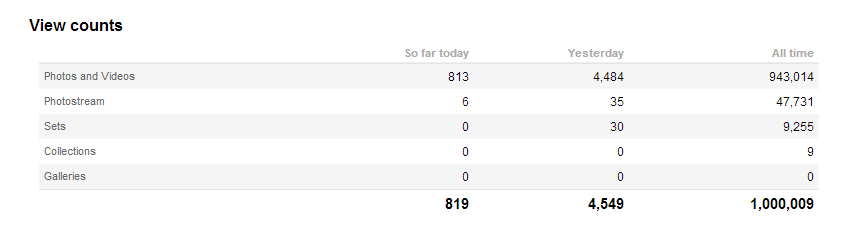
1 000 000 views

And I just got another milestone for one of my accounts. This time it’s the first 1 000 000 vies on my Flickr portfolio under http://www.flickr.com/photos/theodevil/. I actually started publishing my photos there, and it’s the oldest of all my photo accounts :)
flickrsmall

The colorful Eiffel tower

I never can edit photo when my head hurts. And as I just got a cold, my head hurts like crazy. So for today, I only have a very quick edit of a night photo from Paris. And I’m going to bet to get some sleep :)

This is a HDR created in Oloneo Photoengine and finished in Photoshop.
The colorful Eiffel tower

tutorial-photomatix final

Photomatix Pro 5 – Review

My review of Photomatix pro is quite short, but as I described a lot of it in my HDR tutorial, you can find much more there. But anyway, you can find my review of Photomatix Pro 5 here.

Blown away

You very often read in headlines, that a photo will blow you away. I personally try to avoid that types of descriptions in my photos, as they never mean anything. But here it is different. While I was taking this, the strong wind almost blown me away :) It of course took away a lot of sharpness from the photo, but I think its still manageable.

This is a single exposure edited in Lightroom and Photoshop.
Blown away

FREE EBOOK!!!
Subscribe to my newsletter and get a free Capturing fireworks ebook. 
Subscribe