Free HDR video tutorial

Free HDR video tutorial

MASTER EXPOSURE BLENDING

Find the best ones

Find the best ones

TOP PHOTOGRAPHY SPOTS

Free wallpapers

Free wallpapers

HIGH-RESOLUTION WALLPAPERS

Today I have for you another photo process post. Today it’s a nice panorama from Paris
The Epic sunset
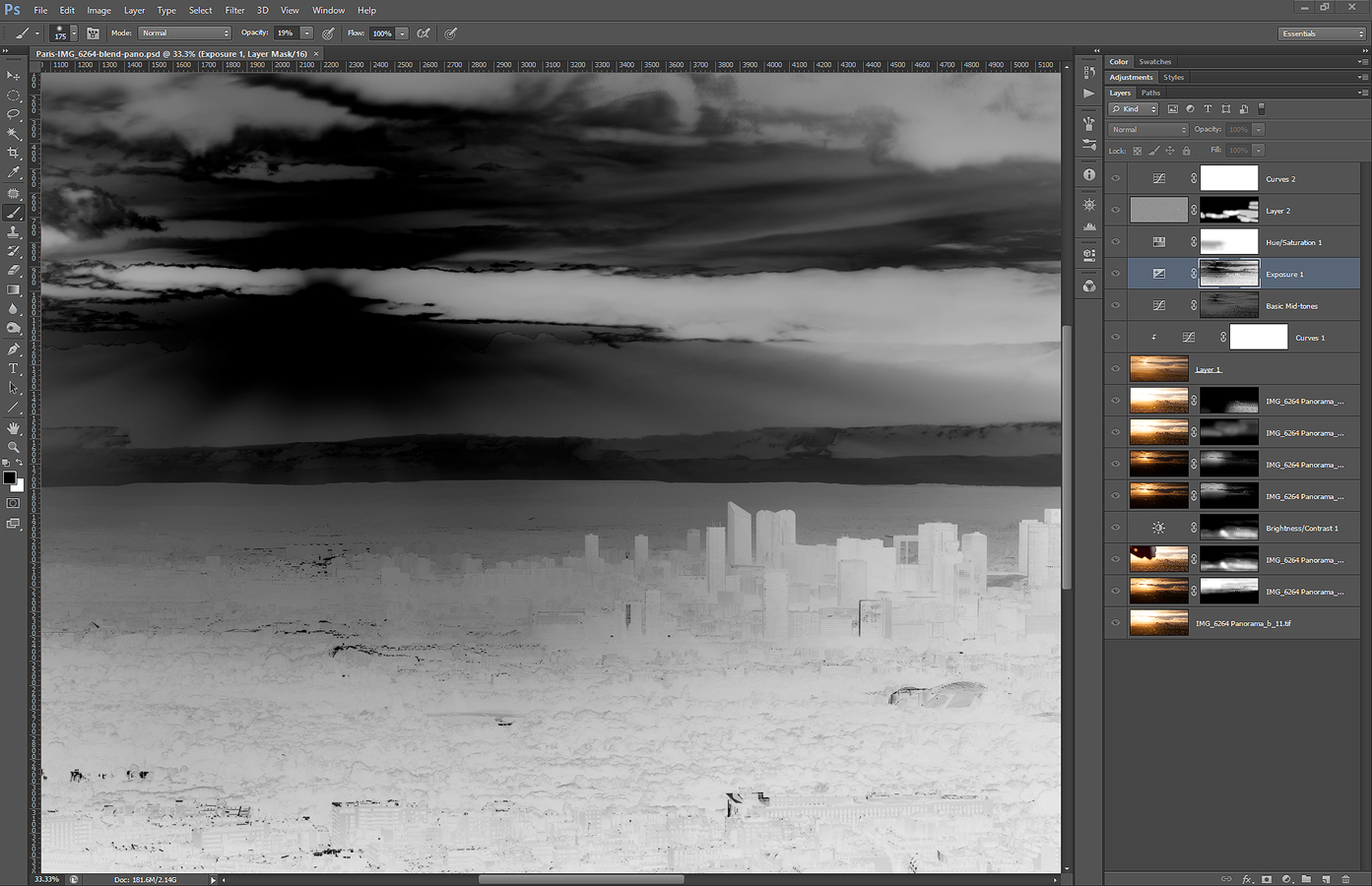
The luminescence masks can looks quite interesting sometimes. So I inluded a Photoshop screenshot of a luminance mask, that also shows what editing steps I made after combining the shots into panorama (you can see how I combine shots here: https://www.hdrshooter.com/guides/combining-photos-for-hdr-panoramas/). As you can see, I used only few layers and no plugins. All done in Photoshop. Recently I tend to go the route of fewer modifications as possible

But to the screenshots. The layers are (from bottom up):
1: 0EV exposure as start
2: -2EV exposure for the sky
3 and 4: 0EV exposure from a second series where I held my hand in front of the sun, so I get no flares and I can blend that photo with the normal one + brightness modification for that layer
5 to 8: other exposures, to darken the sun and brighten the foreground, mostly manually painted masks
9 and 10: glow layer
11: added contrast to basic mid-tones
12: little bit of exposure to the dark’s
13: little bit of added saturation
14: high pass layer for more detail in the shot
15: a little bit of overall contrast

Not much sharpening here, as I do that after I re-size the photo.
Screenshot
Continue to the full post to see the original photos I used.

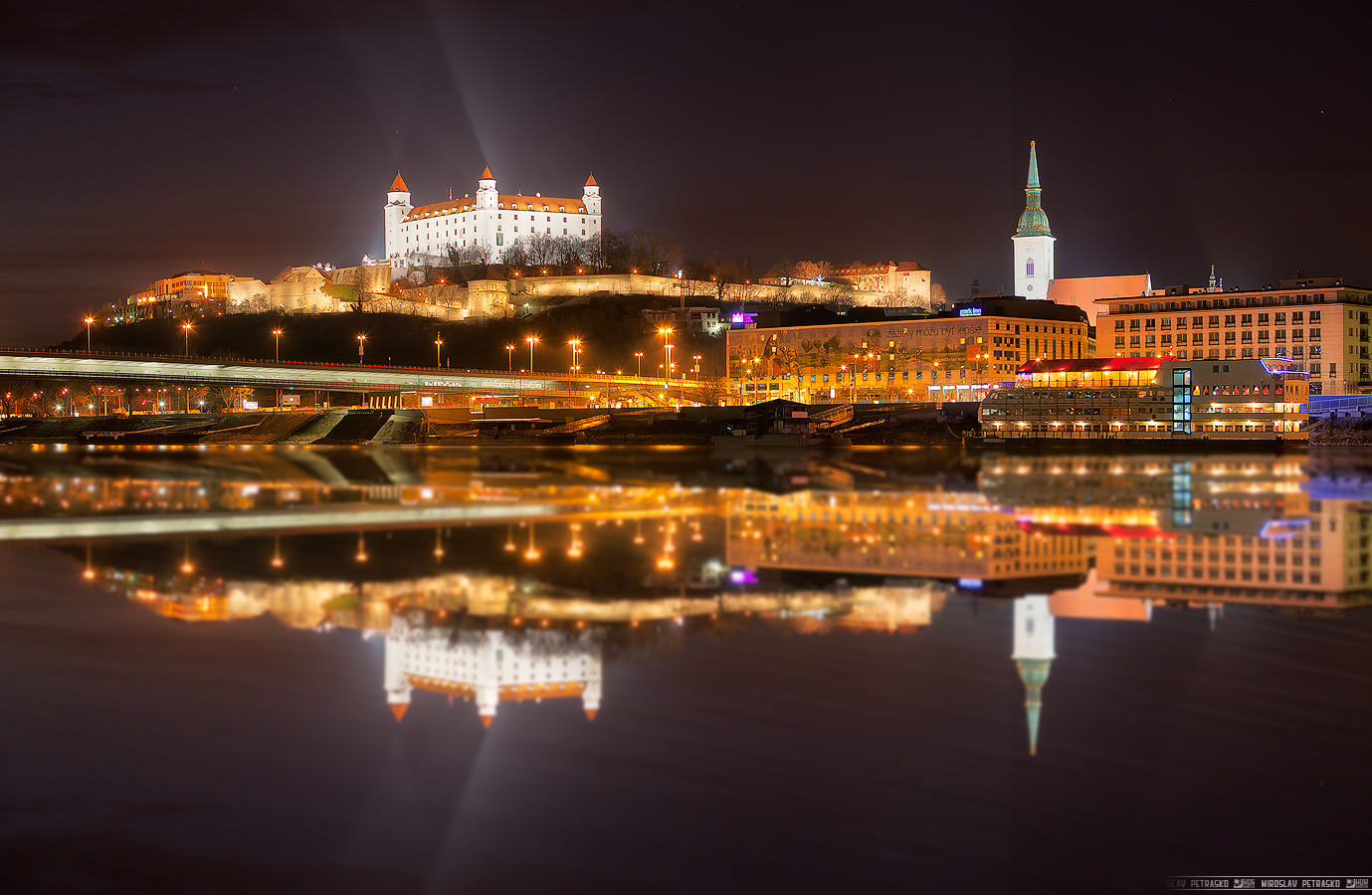
Today I have for you two photos. Better said, a photo and it’s variant. While I was editing this cityscape shot from Bratislava, it reminded me of this reflection tutorial by Jimmy McIntire http://www.throughstrangelenses.com/2013/06/23/cityscape-photoshop-tutorial/ so I just tried out how it looked like. And here is the photo and also the fake reflection variant. It does not even look that bad :)

This is a manual blend from 7 photos.
Light reflection

This is an edit of the above photo in Photoshop.
Reflection

A little more colorful photo today. I went with more saturation and glow for this one, to get the feel I wanted. But it depends a lot on the screen you are viewing the photo on. It looks completely different on my screen, my tablet or my phone (I have to say, the amoled on my phone looks just incredible :)). And it also looks different based on the light conditions and on what you were looking before on (if you look on something saturated before and then look at it, it will look really washed out :)). So having the exact color I want is really not that simple, or even possible.

This is a manual blend form 3 shots, taken next to the Bojnice castle in Bojnice.
Colorful spring morning

What should one do when one went to the city to shoot the sunrise and it rained? Go into the metro and take photos there :) Prague metro around 5:30 is nice and empty and you can take as many shots as you want. During the morning shoot I took this photo I actually visited three different metro station in under 30 minutes. Just always took few photos and moved to the next stop.

This is a manual blend from 5 exposures, taken at the Náměstí Republiky metro stop in Prague.
Hiding in the Underground

Somehow the London photo are the most popular photos from all I have posted. The number of views on my portfolio are now 5 time higher than they were before London photos :) And so here is another London shot, for all those that like them so much :)

This is a manual blend from 5 shots.
Blue lit stairs

FREE EBOOK!!!
Subscribe to my newsletter and get a free Capturing fireworks ebook. 
Subscribe